 GETTING STARTED
Who is Kuerate for
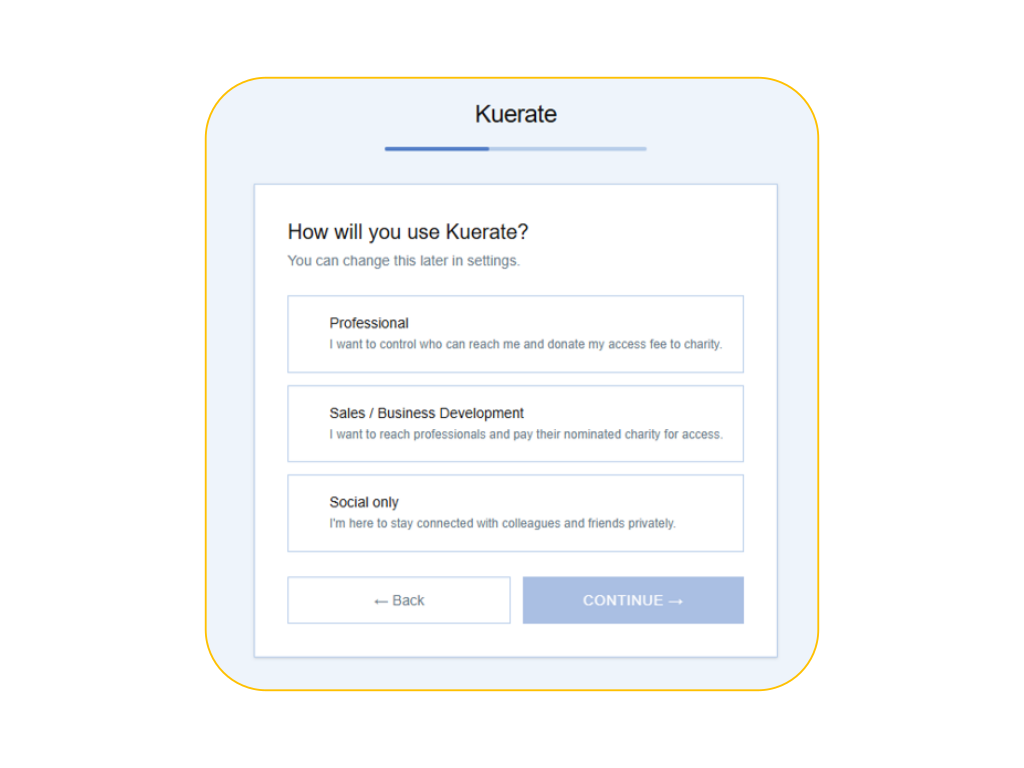
Professionals
Any user with a business email who can create posts, events, post jobs, and manage connections via CRM. This user type as a default is open to connections but can enforce a charitable contribution for any cold outreaches.
Business Development
Any user with a business email who can create posts, events, post jobs, and manage connections via CRM. This user has a sales focus with higher CRM usage and may have to contribute to charities depending on the professional they wish to make contact with.

Social Engagement
Any user with a business email can create posts, events, post jobs, and manage connections via CRM.
Get Started
01 Registration
Register and setup your profile over here → Register
The setup will cover: a) Country b) User type Professional or Business Development user. By default, all users are "Open Inbox" meaning that anyone on Kuerate can reach-out to you, OR you can set an "Access Rate", meaning that outreach to you is influenced by the charitable contributions.
02 Import Contacts
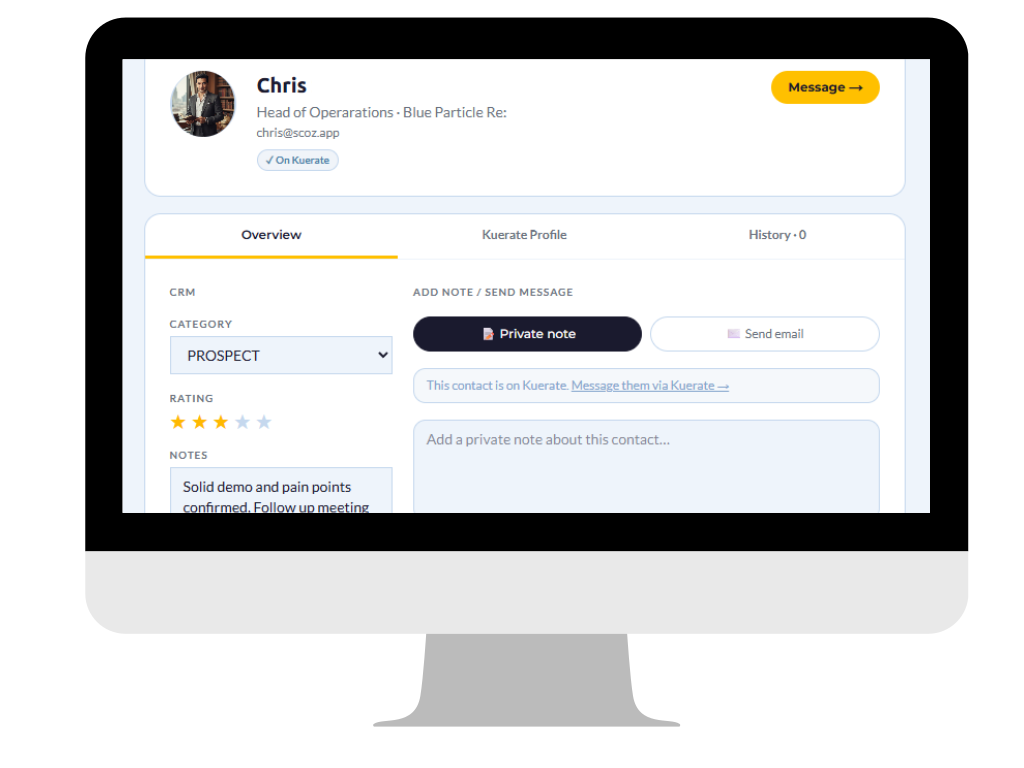
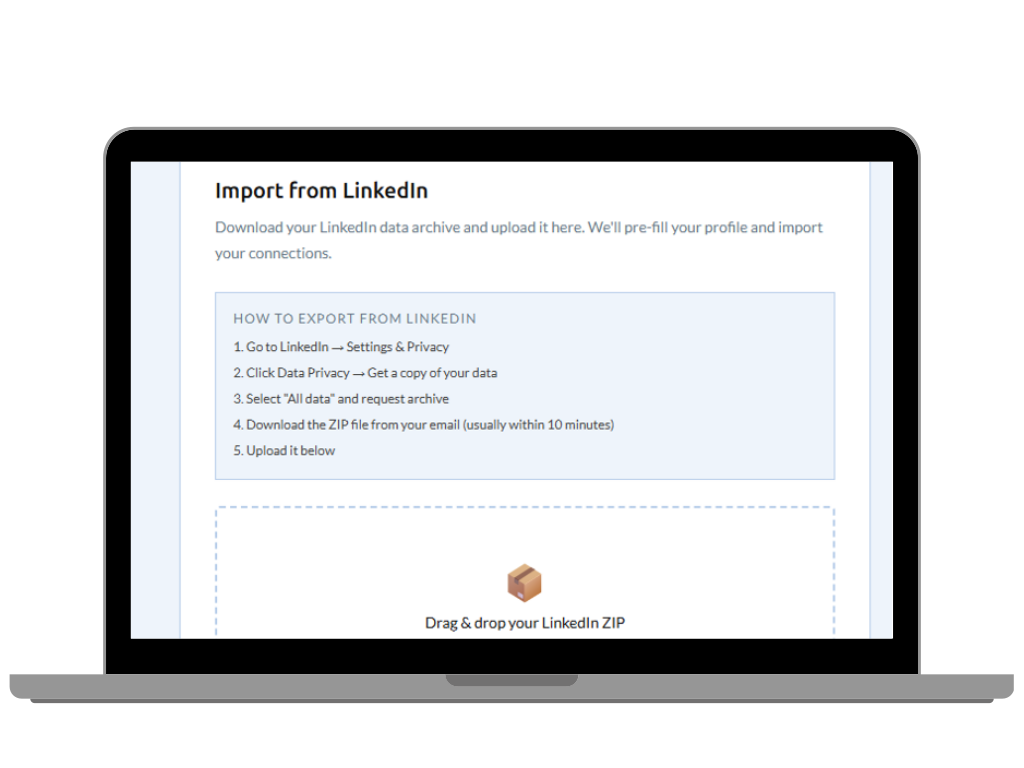
This is the fun part. You can import your existing Linkedin connections in seconds. It means you can finally start working through and building and nurturing your relationships with proper CRM capability. You can categorise, rate, write notes, track all interactions with your network. Invite your network, they will thank you later.
03 Grow and connect purposely
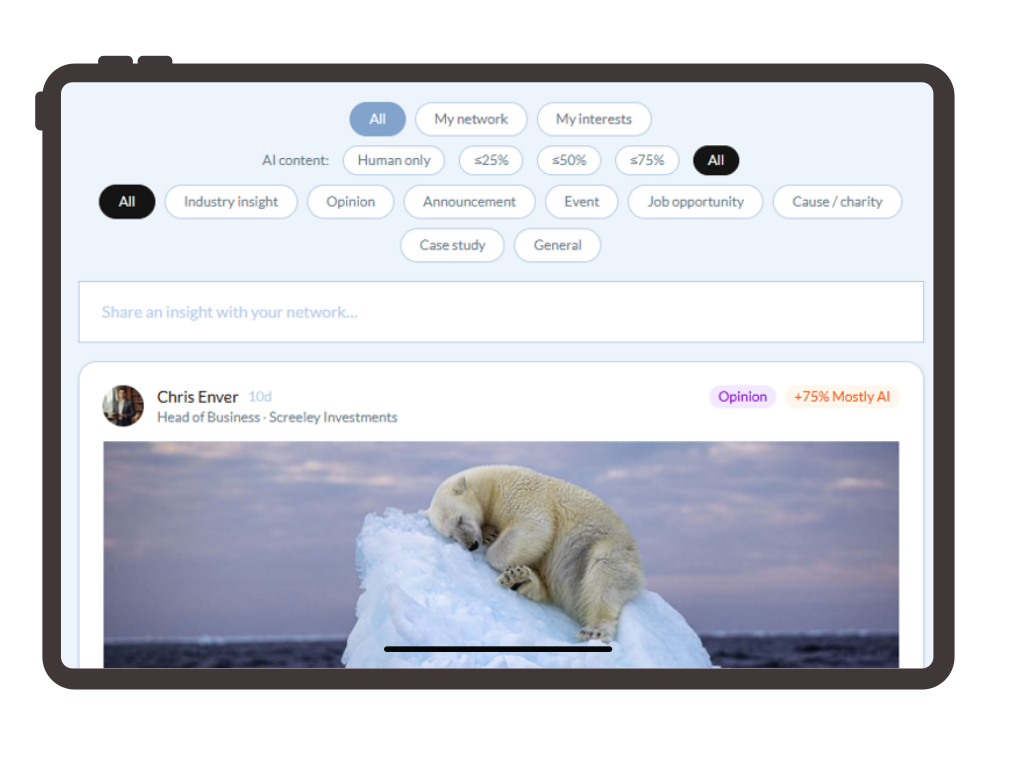
You are ready to share and read content. Kuerate is about personal choices, so you define your interests through tags and strictly filter what you see including eliminating AI slop. Types of content include insights, opinion, announcements, events, jobs, causes, case studies and general. The Events has an auto-connect capability that makes Events a valuable networking proposition
04 Growth and Business Development
Using your personal CRM, you can also reach out to your connections and the Kanban style Pipeline will automatically workflow through the contact stages. The ICP search filter provides a saved search capability that includes location, industry, Engagement Score to make prospecting smarter and strategic.